

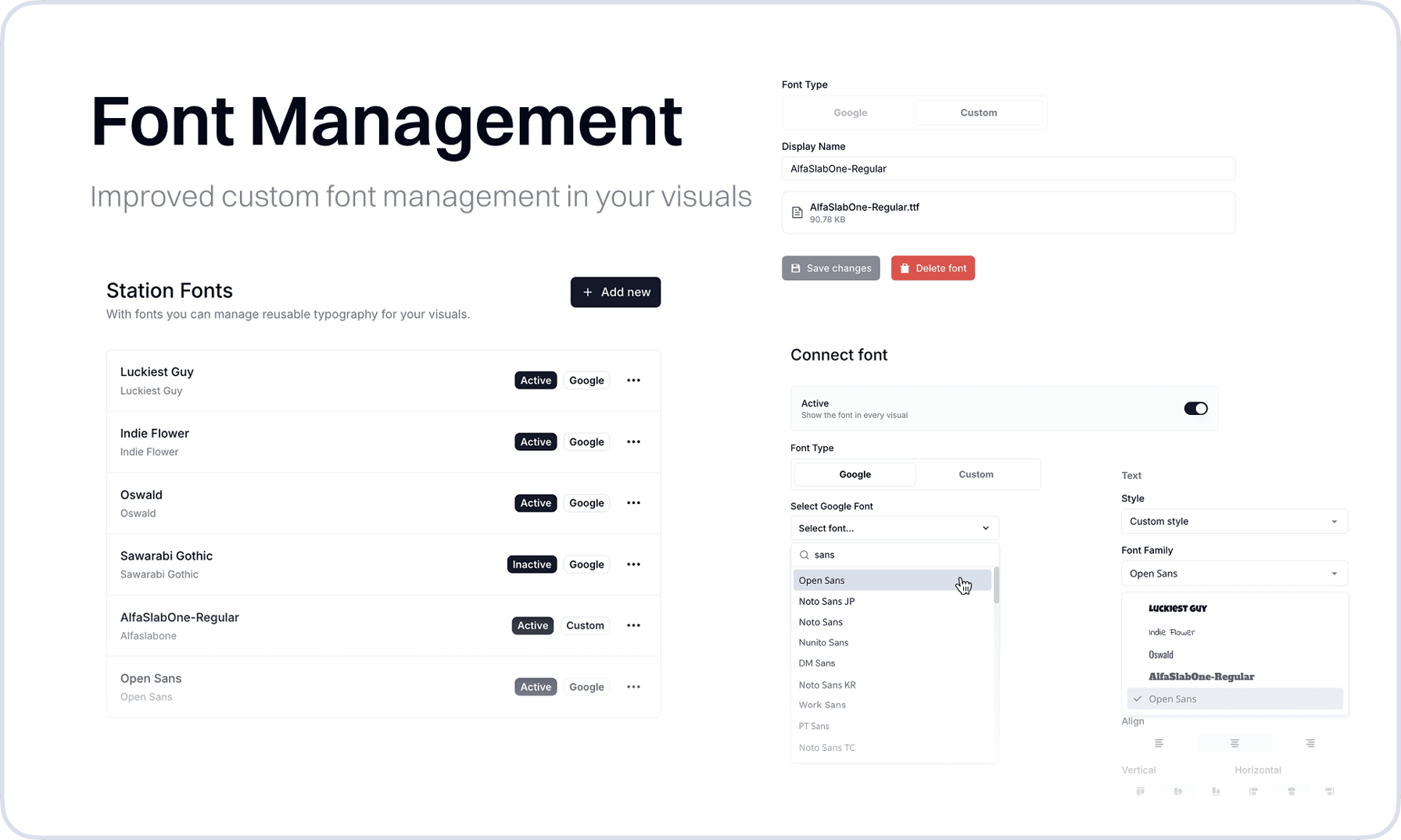
We enhanced how you work with Custom Fonts in the Visual Designer. While custom fonts were previously possible through manual CSS statements, you can now upload your own font files or select from the complete Google Fonts library directly in your station settings.
This update transforms custom font management from a technical workaround into a streamlined, user-friendly workflow. Instead of writing CSS imports and managing font URLs manually, you can now browse, preview, and apply custom typefaces with just a few clicks.
New
- Media HubAdded drag and drop to the media hub dialog
- Studio ManagementAdded copy functionality to studio dropdown with refined styling for easier workflow
- Visual DesignerLayers can have names now
Improvements
- Visual DesignerAdded icons as visual indicators for variable editing
- VariablesAfter creation of a Options Variable it is now possible to also keep changing the order of the options
- VariablesImproved creation flow for Options Variable
- PlayoutAdded quick access button to Global Variables Controller directly from the playout index page
- Studio OverviewServer instance overview now displays which clients were recently active, providing better insight into system usage
Fixes
- Visual CanvasResolved dimension handling issues in the visual canvas
- Output EditorFixed 404 error when accessing an non-existing output. It will redirect to the outputs overview now.
- Audio ManagerEnhanced stability of active trigger checks in audio manager
- Border GroupsRecovered and fixed border group functionality in the visual designer
- Global Variables ControllerFix issue with resizing
- Output Setup AssistantFix bug with overflowing text in boxes and fix transition between steps