


The operating system for visual radio.
Powerful, autonomous and broadcast-ready Visual Radio software to help you supercharge your on air performance.



Radio runs with the team you have. Visual radio asks for a pair of hands you don't have.
VRA Cloud connects five local studio applications, nine public visual radio products, and integrations in one operating system.
- Audio Triggers
- Automation
- Scheduling
- Integrations
- Media Hub
- Visual Designer
- Camera Assist
- Render Engine
- Clips
- Playout
- Core
- Audio Manager
- Camera Assist
- Output Player
- Media Server
Highlighted features
Meet the
Visual Radio OS
Mic-activated camera switching
The microphone that opens picks the camera. VRA listens to every channel in your studio, works out who has the floor, and cuts to them without anyone on the desk.
- Fires on mic activity: a level threshold, or the channel's own noise gate
- On-air program and host are conditions that pick the shot, not extra firing sources
- Two presenters talking at once fire the combo, so you cut to a 2-shot
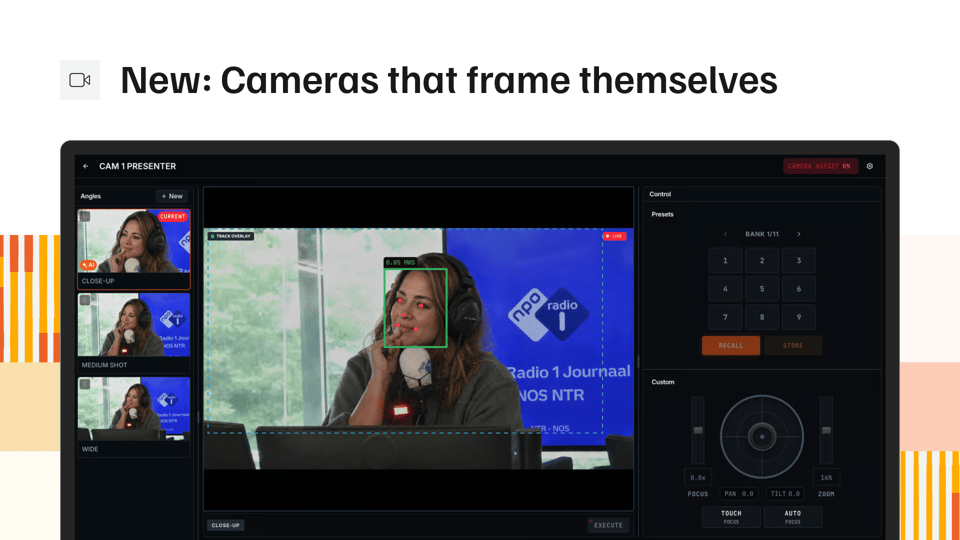
Cameras that frame themselves
Your studio cameras hold a named shot size on their own, close up through wide, without anyone behind a joystick. You can take manual control at any point.
- Framing to a named TV shot size, not auto track
- Say how many faces belong in frame, and it works to that
- A camera stays off air when there is nobody in frame
Browser-based graphics with live station data
Build your station's on-screen graphics in the browser, with live data inside them. No After Effects, no plugin chain, no waiting for someone to export a file.
- Browser-based, no plugin chain
- Any field can read live station data
- One design scales from a 1080p SDI feed to a 4K screen
Rundown automation for every output
Playout decides what is on screen right now for every output of your station. It can run a show on its own, or an operator can take control at any point.
- Episode playout with the on-air program and the next five in view
- Live items step in on a condition, then hand back to the rundown
- Preview a different episode than the one on air, then take it
In-browser clip editor for live recordings
Find the best moment of the show, cut it in the browser and get a finished file back. The recording never leaves your studio until you cut it.
- Mic-open ranges from Audio Manager mark the moments for you
- Crop to 9:16, 1:1, 4:3 or 16:9, ready to post
And more.
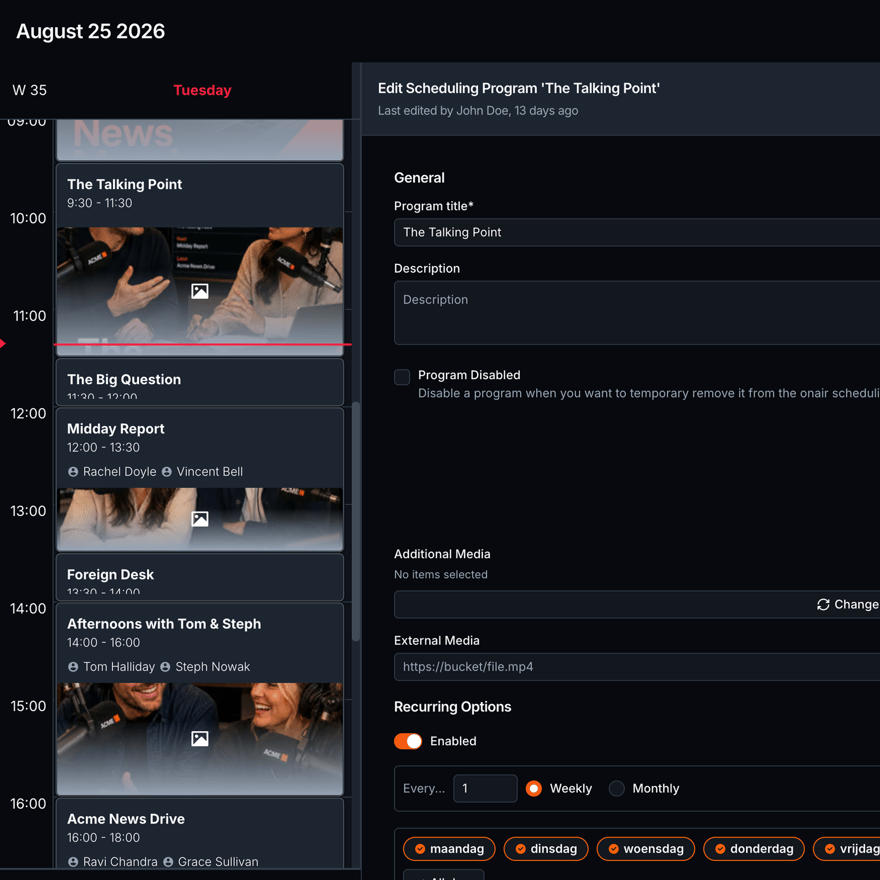
Scheduling
The program grid the rest of the platform reads. What is on air, what is next, who is presenting.
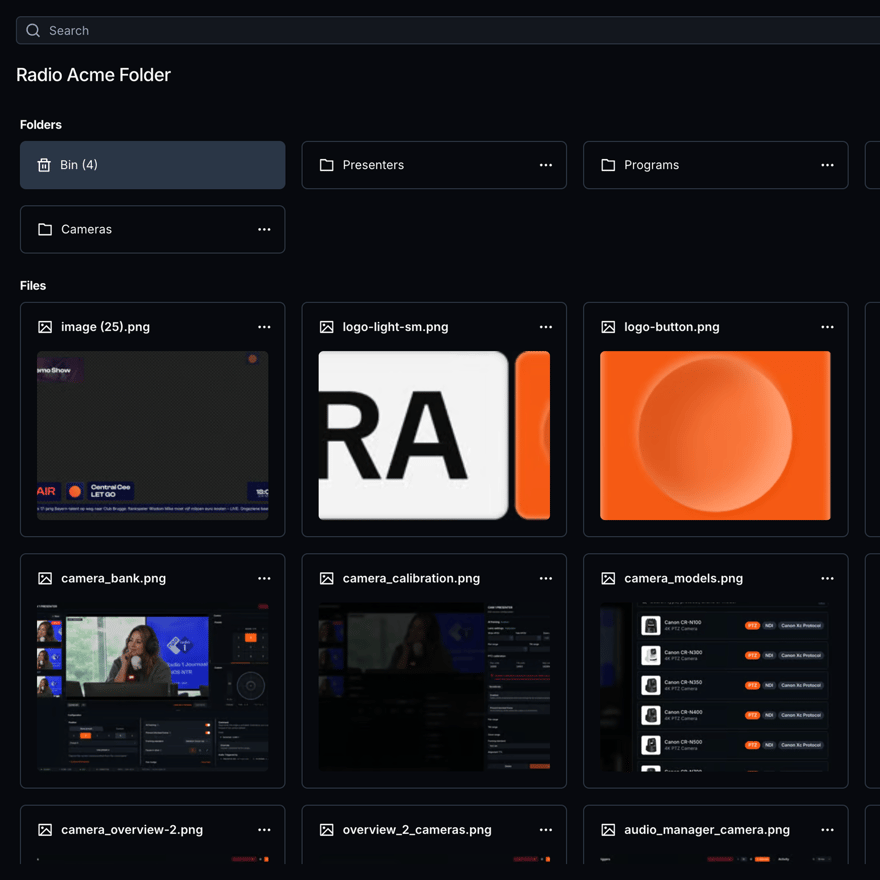
Media Hub
One asset library. Folders, upload, metadata and a bin, shared across every studio.
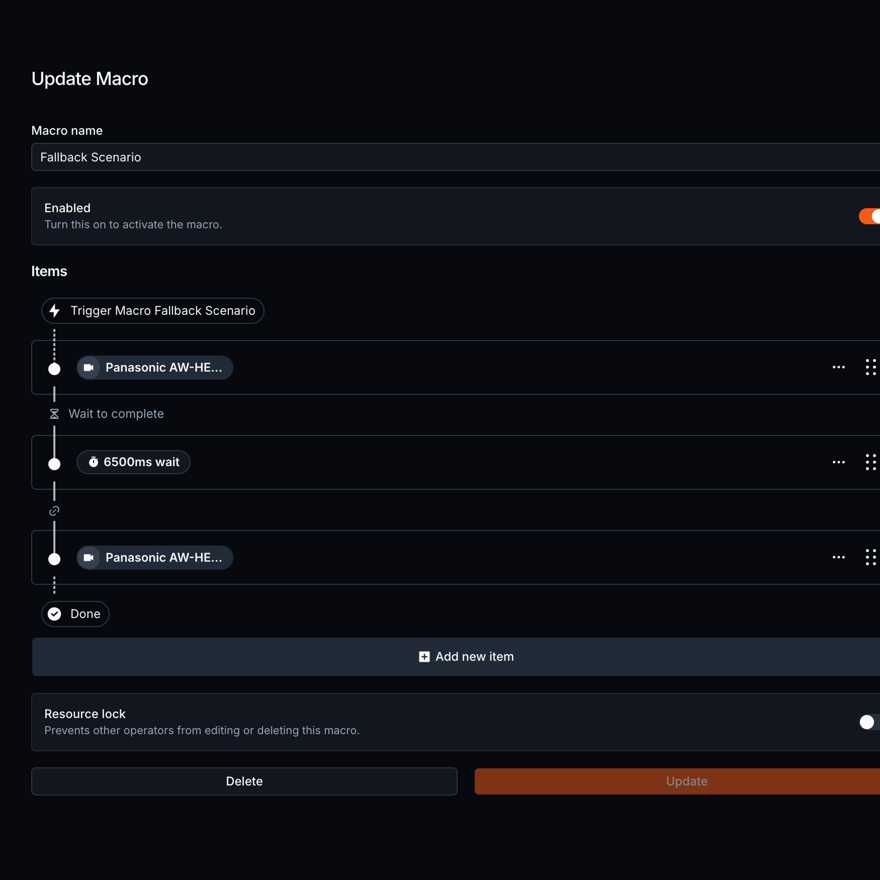
Automation
One action vocabulary. Macros, conditions and automations that fire without a human.
Render Engine
The installed app that renders an Output to SDI, NDI or a Cloud Live preview.
Scheduling
The program grid the rest of the platform reads. What is on air, what is next, who is presenting.
Media Hub
One asset library. Folders, upload, metadata and a bin, shared across every studio.
Automation
One action vocabulary. Macros, conditions and automations that fire without a human.
Render Engine
The installed app that renders an Output to SDI, NDI or a Cloud Live preview.
Scheduling
The program grid the rest of the platform reads. What is on air, what is next, who is presenting.
Media Hub
One asset library. Folders, upload, metadata and a bin, shared across every studio.
Automation
One action vocabulary. Macros, conditions and automations that fire without a human.
Render Engine
The installed app that renders an Output to SDI, NDI or a Cloud Live preview.
Visual radio architecture
Local stability.
Cloud availability.

VRA Cloud
Realtime access from every browser.
Your station infrastructure
Runs on what you already own.
Nothing gets migrated. VRA connects to the switcher, the cameras, the radio automation and the audio you already run.
40+
Consoles, automation, cameras, switchers and outputs. VRA connects to what your studio already runs.
See all integrations5
Video Switchers and Routers
Blackmagic ATEM, vMix, OBS
7
Audio Interfaces
Dante Virtual Soundcard (VCS), RME Digiface Dante, RAVENNA
9
Radio Playouts
Aeron, OmniPlayer, mAirList
8
PTZ cameras
Marshall, Panasonic, Sony
3
Video Transports
Blackmagic DeckLink (SDI), NDI, Open Media Transport (OMT)
8
GPIO and Control
Cuez, StreamDeck, Ember+
One subscription. Setup, integrations, support and updates included.
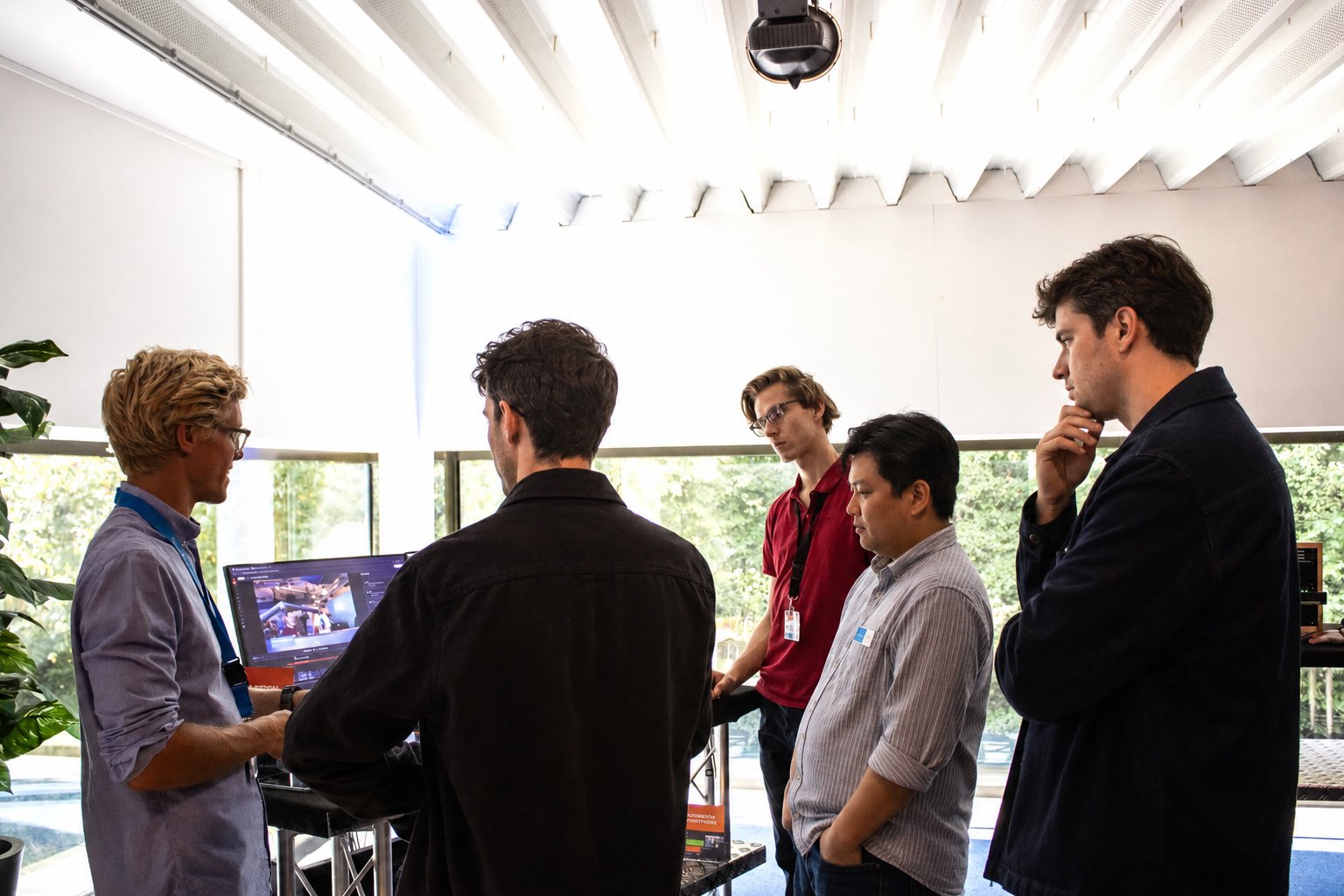
The VRA team walking a broadcast crew through the platform.
Custom integrations, built in
VRA connects to the gear and systems you already run. Missing a link, like an existing datalake or API, we build that integration for you.
Broadcast-level support
Proven in 24/7 national broadcasters. Something not working? You call or email the people who built the platform, no ticket queue in between.
Backed by an SLA
Uptime, response and resolution times guaranteed. Updates and new features ship every week, included in your subscription.
Recently released.
The newest things your station can do.
24 August 2026
New: VRA Camera Assist
Camera angles have been part of VRA from the start. You stored a PTZ preset, pointed an audio trigger at it, and your switcher made the cut. What none of that did was look at the picture, so a shot that was framed right in rehearsal drifts by the second hour and somebody has to sit behind a joystick to put it back.
4.6.68
14 August 2026
Refined Designer Canvas and Faster Camera Setup
Small friction in the daily surfaces adds up. Zooming in the Visual Designer jumped away from the spot you were working on, the Data Selector closed the moment you opened it, and every new camera needed an angle created by hand before you could do anything useful with it.
4.6.67
10 August 2026
Quicker Ways to Get Around and a Broad Stability Pass
Getting to the thing you need was taking too many steps. Settings had no search, the Users list stopped at ten rows with nothing to filter on, and stepping through files in the Media Hub meant closing the preview every time.
23 July 2026
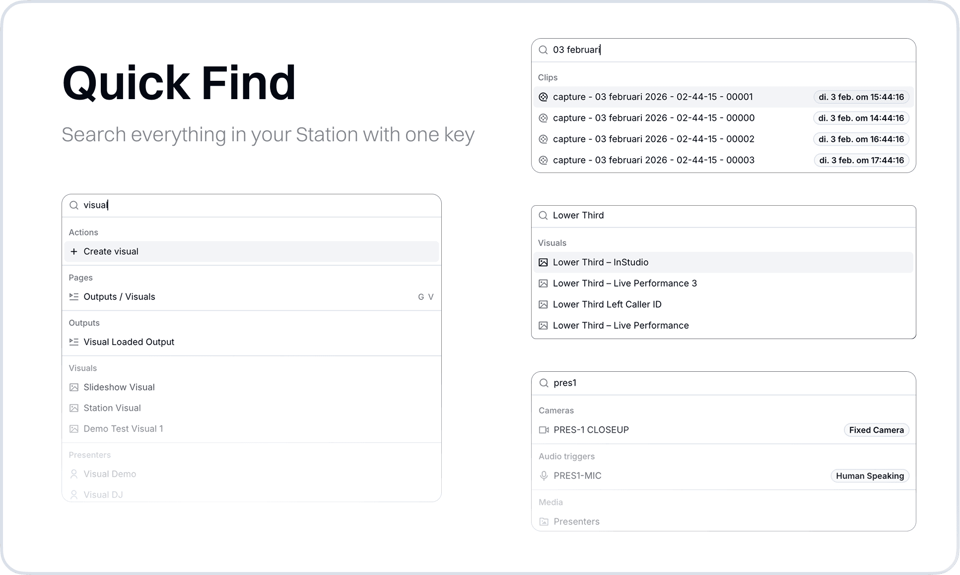
New: Quick Find, Search Everything in Your Station with One Key
We added Quick Find, a search across everything in your station. It covers far more than pages: visuals, outputs, media files, recordings, clips projects, programs, hosts, audio triggers, camera angles, and studios are a…
We will run it on your setup.
Your switcher, your radio automation, your cameras. VRA connects to what is already in the rack, so nothing has to be replaced first.