

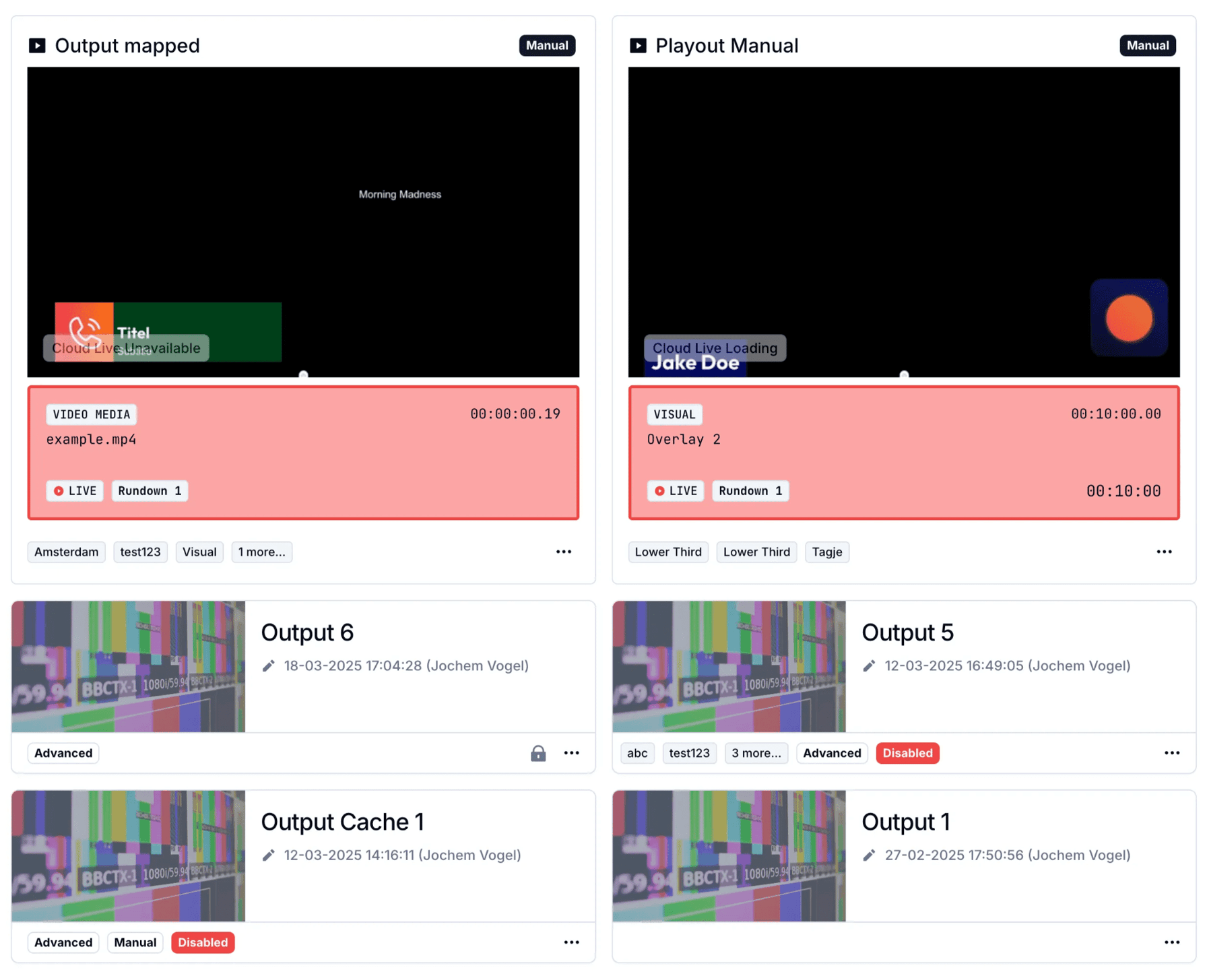
New: Update in Outputs Overview and dedicated Output Player Controller
We’ve updated the Outputs Overview in Visual Radio Assist to give you a clearer view of what’s currently playing. Active output players are now displayed more prominently, allowing faster access and better monitoring of playout status.
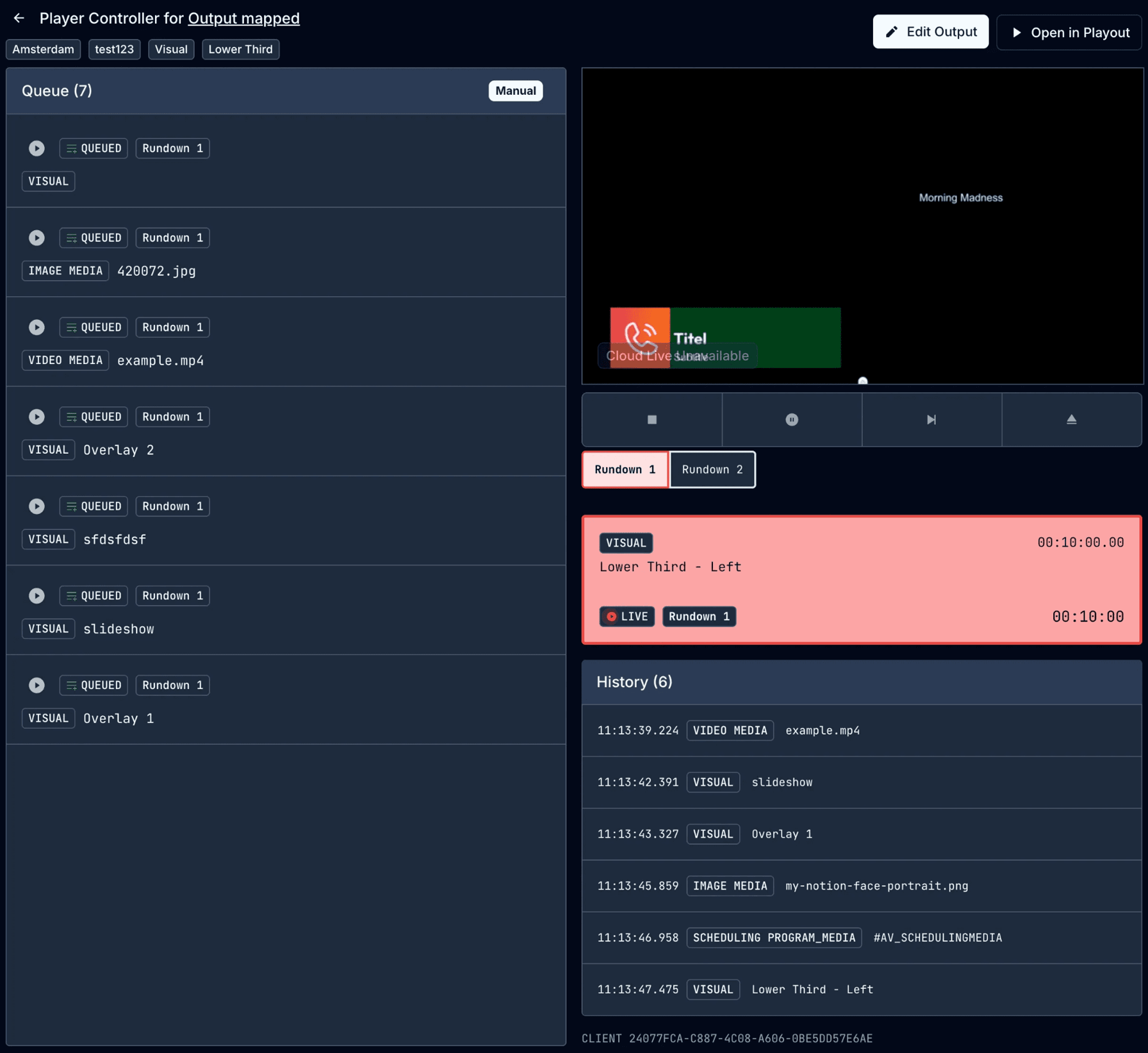
Clicking on an active output now opens a dedicated Output Player Controller page. This new page is focused on managing a specific output player, giving you a full view of the current queue and history. It shares the same underlying data as the Output Editor, but offers a more focused interface for quick control and review.
New Features & Enhancements
Output Overview & Player Management
- Active Output Players are now highlighted more clearly in the Outputs Overview.
- Added a new Output Player Controller page with a dedicated interface for managing queue, playback history, and playout status.
- Clicking on an active output takes you directly to its controller page.
Visual Designer
- Bundled Code Editor: The previously separate JavaScript and CSS editors are now unified into a single editor interface. You can easily switch between languages in one view, improving the workflow for managing visuals.
Visuals List
- Visuals in the list now show a thumbnail preview of the actual visual. This makes it easier to identify and select the correct item at a glance.
Playout Media Support
- You can now upload and use AVIF and other image formats directly in the Playout Rundown, expanding your options for image-based visuals.
Bug Fixes & Improvements
- Date Display in Variables: Added date information in search result variable values, providing better temporal context for broadcast operations
- Empty Dashboard Fix: Resolved an issue where dashboards would appear empty during initial load
- Visual Composer Stabilization: Fixed episode composer behavior when no selection is available
- Large Presenter Counts: Fixed display issues when working with large presenter counts in the system