

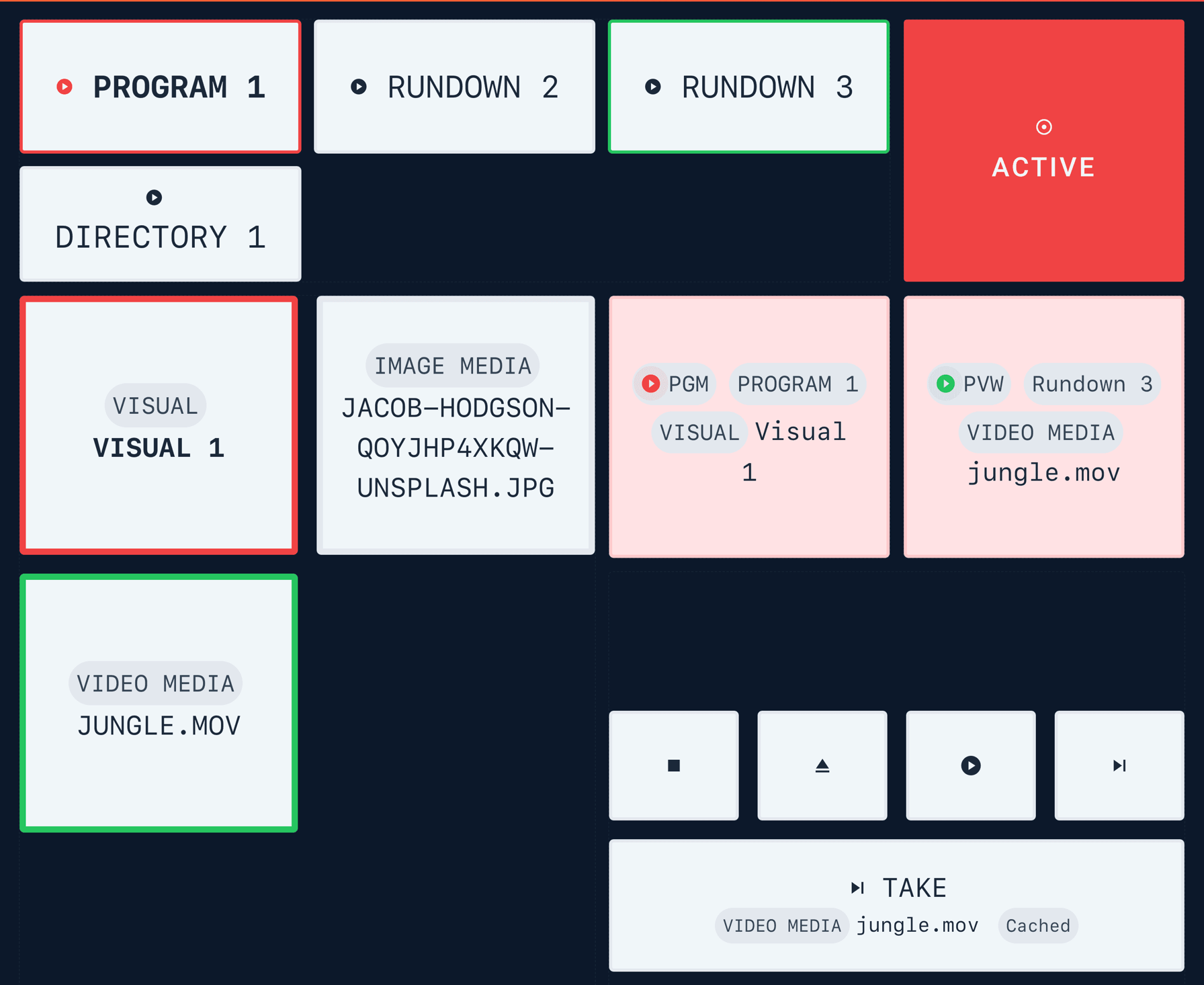
We are getting to the last versions 4.0.x is giving us 🌅, but certainly not the least. Closing of with recent features around Output Player MANUAL mode and new playables and this is 4.0.96 with VRA Dashboards!
Control an Output Player
Complete VRA overview and control
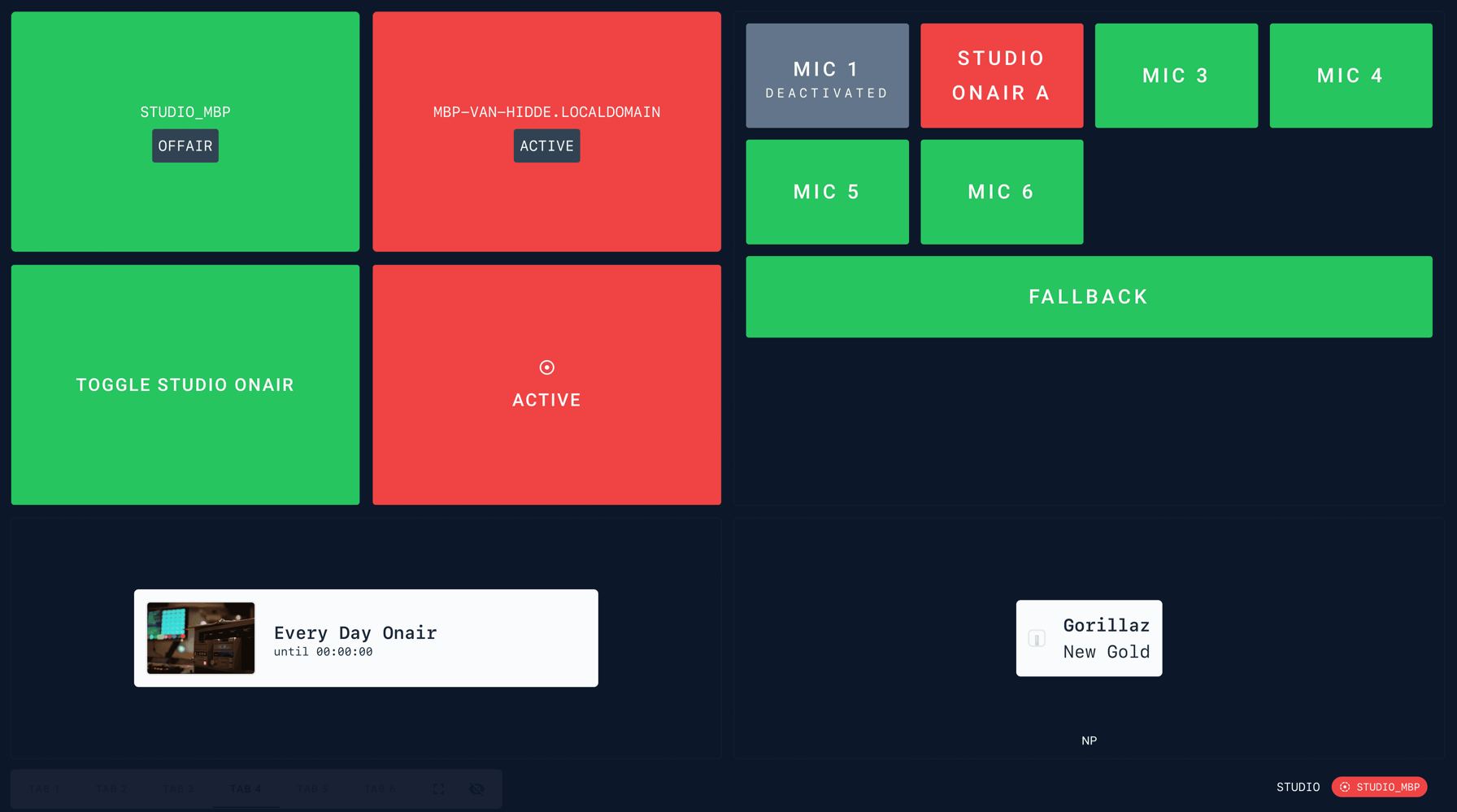
🖌️ All new DashDesigner
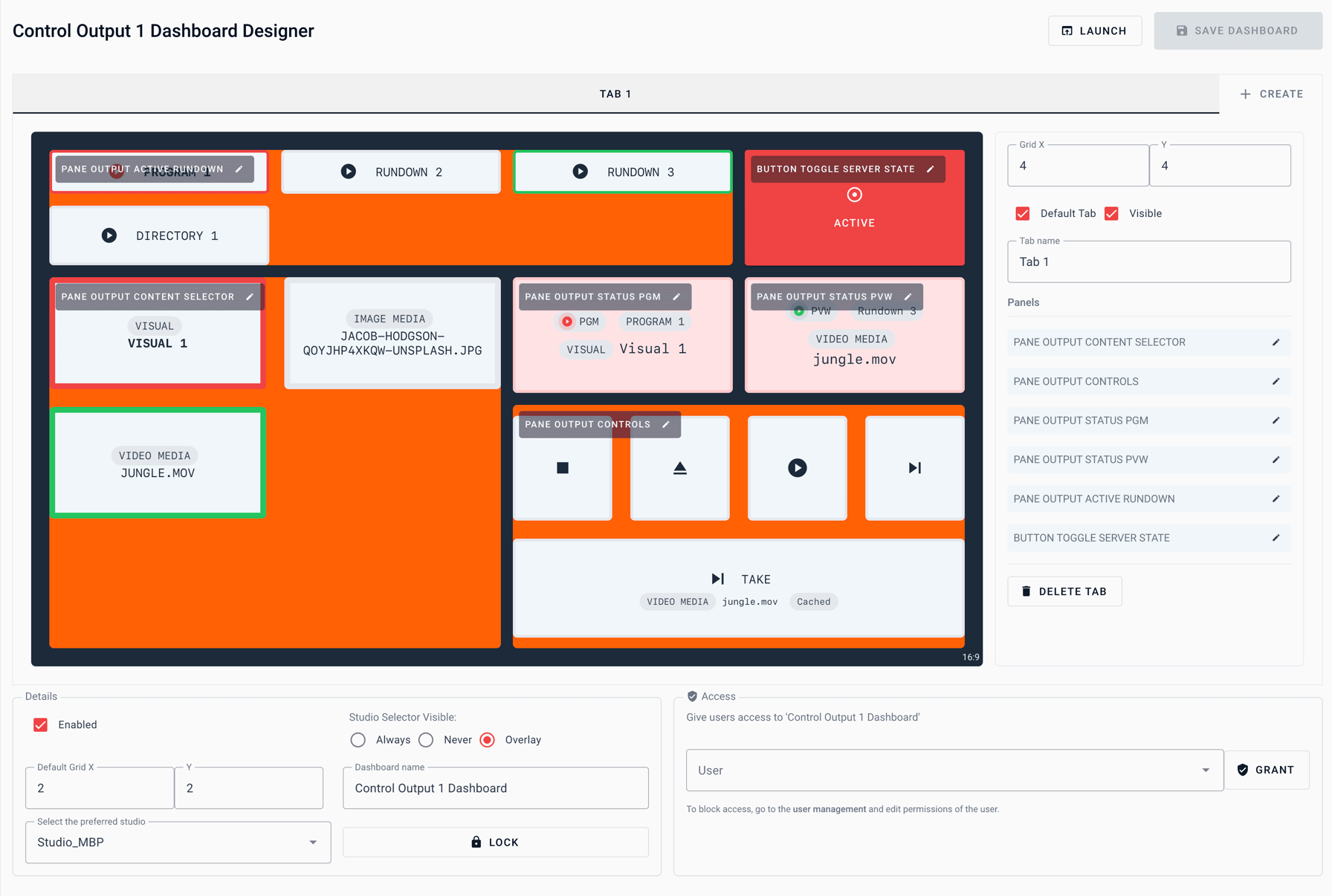
4.0.95 was just a sneak peek of what was possible with the Manual control of Output Players. With the new Dashboard Designer you are able to create your own Video Playout control in a matter of 4 clicks.
Define your grid and add one of the pane from the already large collection to your Dashboard.
- PANE STUDIO STATE
- PANE SERVER STATE
- BUTTON TOGGLE SERVER STATE
- BUTTON TOGGLE STUDIO STATE
- PANE AUDIOMANAGER STATE
- PANE NOWPLAYING
- PANE SCHEDULING
- UPLOAD MEDIA DUMP
- PANE OUTPUT CONTROLLER
- PANE OUTPUT CONTROLS
- PANE OUTPUT STATUS PGM
- PANE OUTPUT STATUS PVW
- PANE OUTPUT ACTIVE RUNDOWN
- PANE OUTPUT CONTENT SELECTOR
Docs on available dashboard panes will follow soon
Heads up!
Looking for a multi-functional dashboard? Add more tabs to your dashboard to create different “scenes” for different usecases, for example: Output Control, Studio Control and Scheduling Status check.
Add non-studio manager users to the dashboard by fine grained permission management, by assigning the Dashboard to a preferred studio the user will be welcomed by a pre-configured ready to use dashboard after logging in on visualradio.cloud