

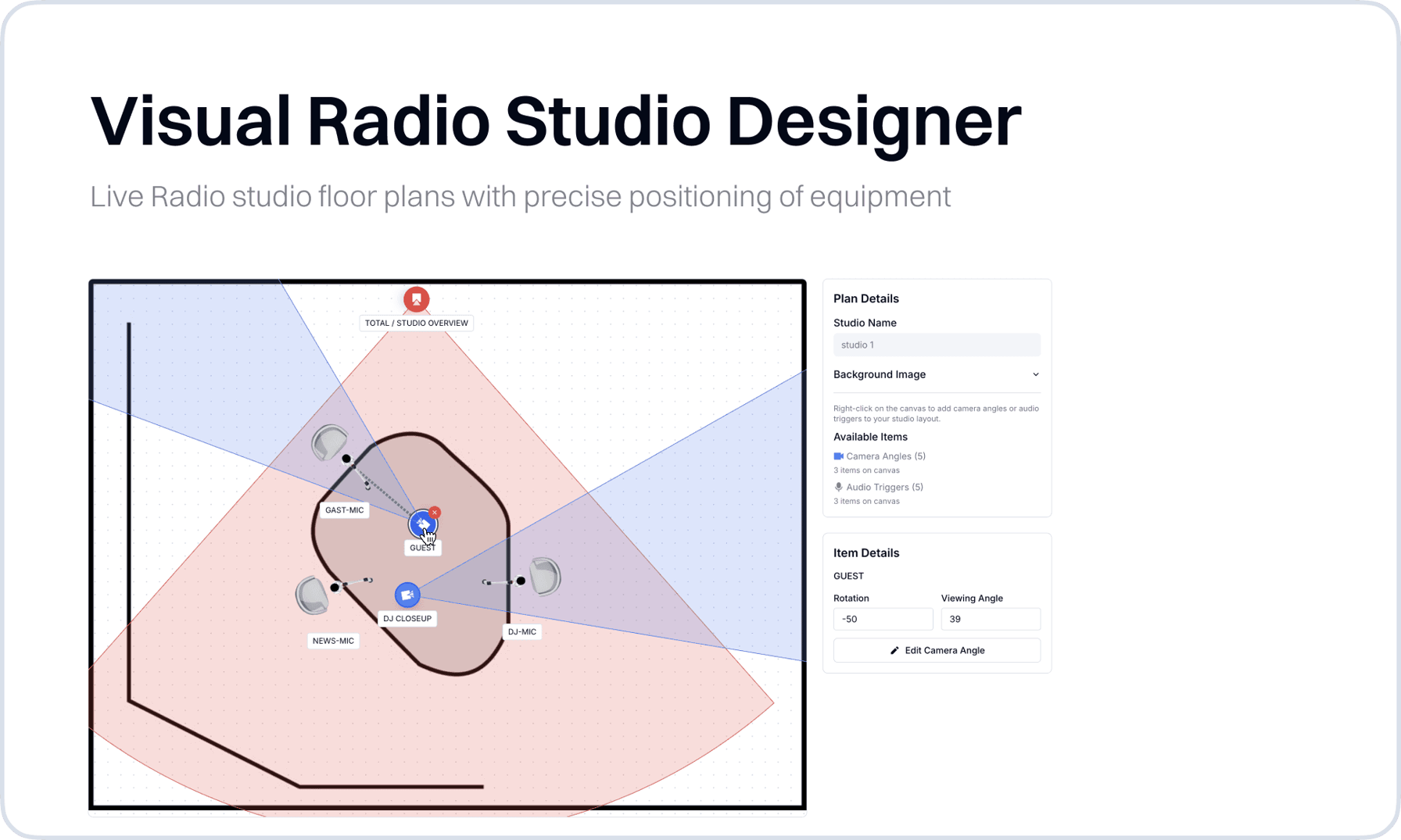
Introducing the New Studio Designer
The Studio Designer provides an intuitive visual interface for studio layout planning and management. This new tool allows you to create detailed studio floor plans with precise positioning of equipment, cameras, and audio triggers.
Key Features:
- Visual Studio Planning: Create and manage studio layouts with drag-and-drop functionality
- Camera and Microphone Positioning: Precisely place and configure equipment with visual indicators
- Studio Floor plans: Add studio floor plans or reference images for accurate equipment placement
- Rotation and Viewing Angles: Configure camera orientations and viewing perspectives
New Features & Enhancements
Authentication & User Management
- Machine User Support: Complete machine-to-machine authentication system with token management and revocation capabilities
Media Server Integration
- Enhanced GPIO Controls: Expanded LWRP and EmberPlus support with password authentication
Scheduling Program
- Additional Media: Add additional media to a program, which can be used in outputs via the Scheduling Program Media v2
Bug Fixes & Improvements
- Media Upload Processing: Better error handling and validation for media file uploads
- Dialog Management: Fixed issue where dialogs wouldn't close properly after item creation
- Form Validation: Enhanced real-time validation with better error messaging
- Dashboard Designer: Fix bug that resulted in a crashing dashboard designer when opening
- User Interface: Multiple styling fixes for better responsiveness and visual consistency
- Speed Improvements: Better performance for large data sets
- Session Management: Improved connection stability and automatic reconnection handling
- Data Source Link: Resolved bug that did not show data source link at variable creation